The Fixer turns scattered maintenance knowledge into answers.
"Why does machine X raise alarm Y, and how do I fix it?" The Fixer answers from your manuals, machine logs, customer tickets and intervention reports, and every answer cites its sources so the technician can check it.
For maintenance departments of manufacturers and of machine builders.
The LAV-01 washer is not heating.
On LAV-01 the tank temperature has stayed at 22 °C since the cycle started. The two most likely causes are the heating element and the thermostat.
SafetySwitch off the power and let the tank cool down before opening the heater cover.
- Check the heater circuit breaker in the electrical panel ("Q4 Heizung").1
- Measure the resistance of the heating element and compare it with the value in the table.2
- If the element is within range, check the thermostat setting and its sensor.2
- 1LAV-01 operating manual, troubleshooting, p. 63
- 2LAV-01 maintenance manual, heating circuit, p. 88
- 3Case closed on a washer of the same model: heating element replaced
Illustrative example. Equipment names, documents and values are invented.
The knowledge is already there. It is just not in one place.
What a technician needs to diagnose a fault is spread across sources that are different in kind and rarely structured.
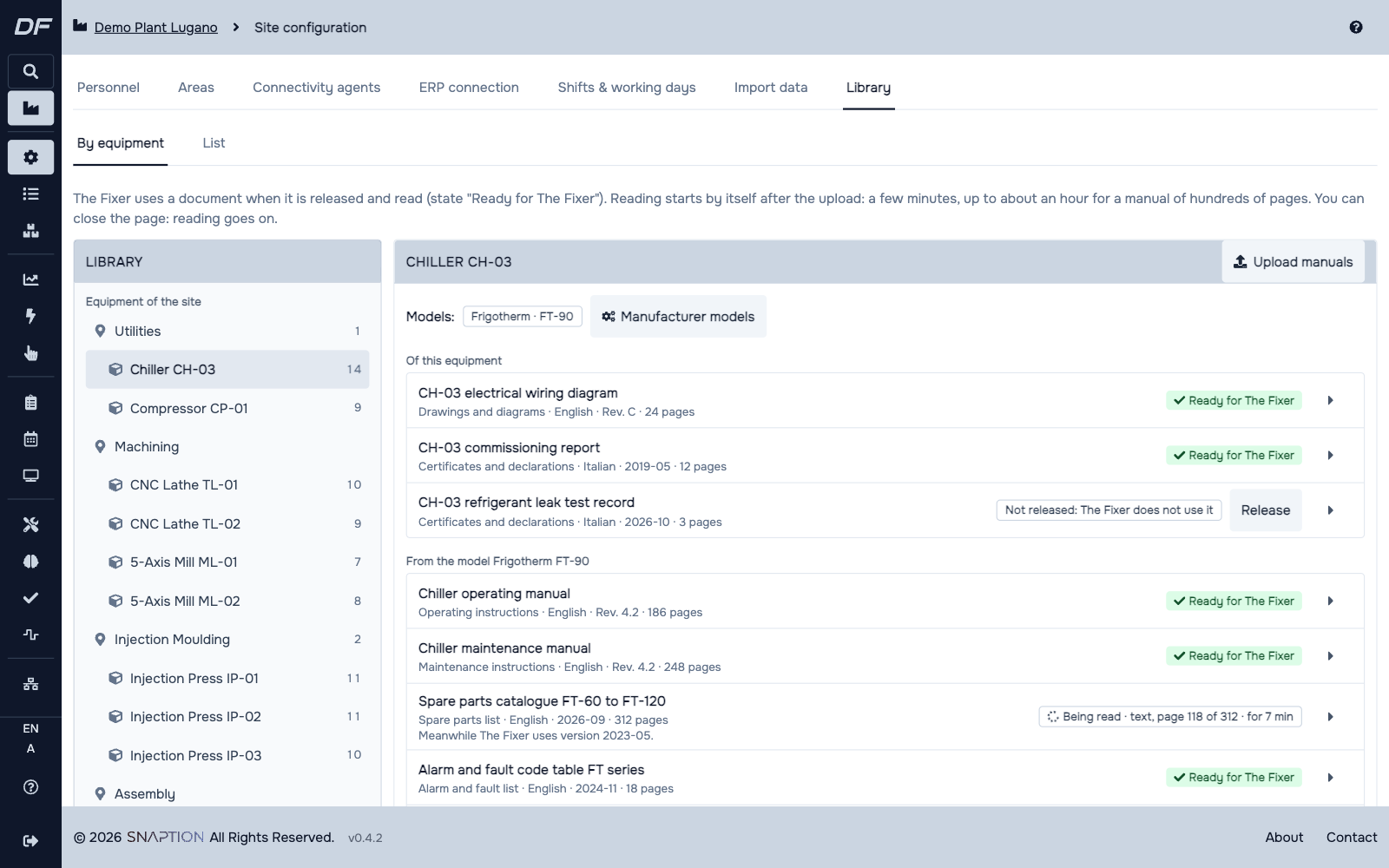
Manuals and technical documents
Operation and maintenance manuals, alarm tables, spare parts lists, procedures.
Machine logs
States, alarms and the trend of each measure, when the equipment is connected.
Customer tickets
What was reported, on which machine, and how it was described.
Intervention reports
What the technician found, did and replaced.
How the knowledge base is built
Four stages take a pile of documents to an answer a technician can verify.
Anonymisation
Personal and sensitive data, such as names of customers and technicians, contacts, serial numbers and commercial references, are removed or pseudonymised before anything else, in line with the GDPR. Rules and named entity recognition work together, on a model that runs locally.
Extraction
PDFs, free text and logs are parsed, normalised and split. The text is indexed for retrieval, and entities and relations are extracted into a knowledge graph guided by a domain ontology: machine, component, symptom, alarm code, cause, intervention, spare part.
Validation by your experts
Maintenance experts confirm or correct the anonymised data, the relations in the graph and the quality of the answers. Only uncertain cases, below a confidence threshold, are sent for review, and every correction improves the system.
Consultation
The technician asks in natural language and gets an answer that always cites its sources.
What to ask
A code
An alarm or error code read on the display. The Fixer looks it up as it is in the manuals' alarm tables.
A symptom
"The tank does not heat." It gives the two or three most likely causes, each with its check, or asks one question first.
A photo
A display, a nameplate, a worn part. It says what it sees and searches the manuals.
In your language
It answers in the language you write in, even when the manual is in another one, and keeps the manual's own words in brackets so you find them on the machine.
How an answer reads
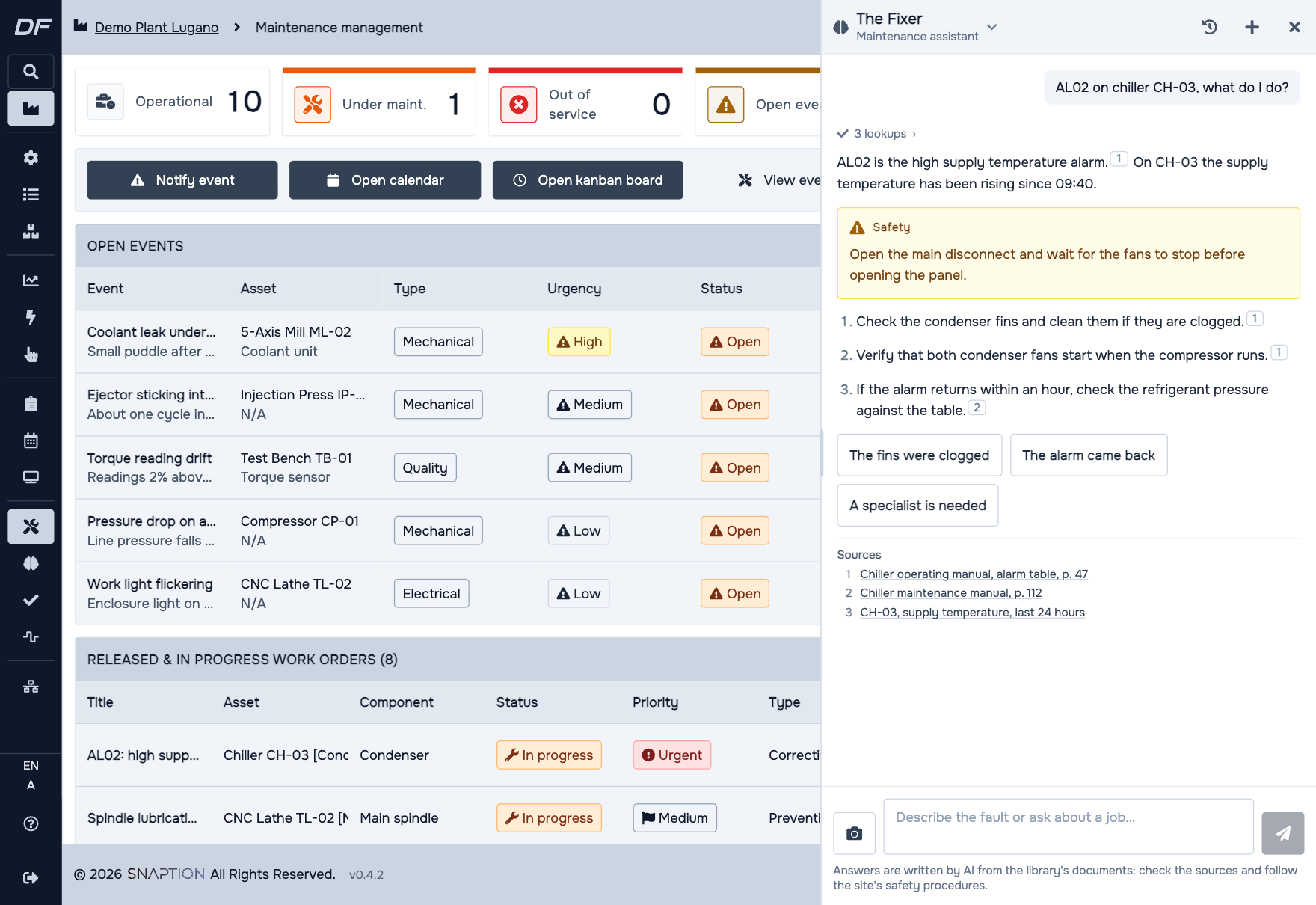
- The safety instructions from the manuals come first, whenever a step touches the machine.
- At most four numbered steps, in the order to do them, readable standing at the machine.
- Every step has a numbered source that opens the manual at the right page.
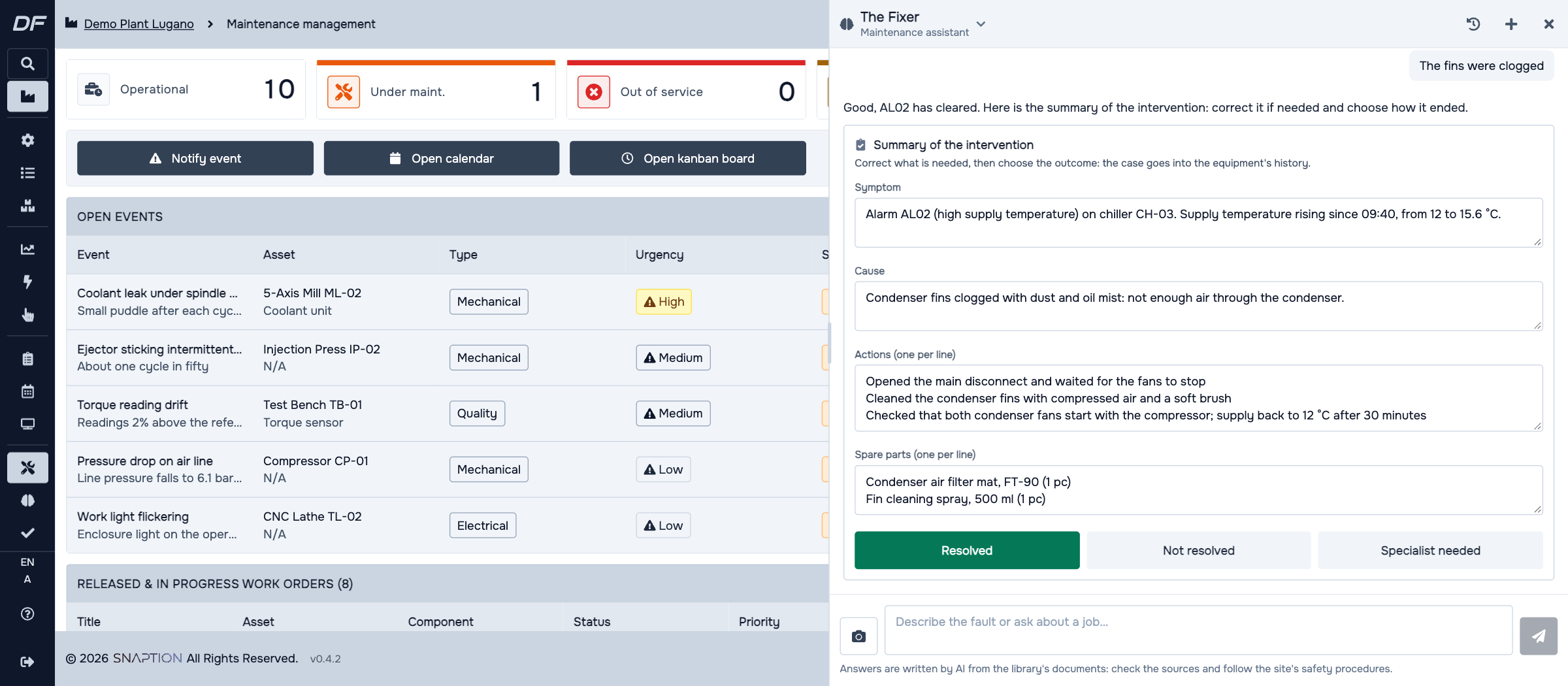
- At the end of a job it drafts the summary of the intervention: symptom, cause, actions and spare parts. Nothing is saved until the technician marks the outcome.
What it never does
- It does not command machines and changes nothing in the platform.
- It never suggests bypassing guards or interlocks, or working on live, pressurised or moving parts.
- It does not make up values. A torque or a temperature that is not in a document is not given.
- It sends you to the specialist or the manufacturer when the manual reserves the job to them.
One assistant, two kinds of maintenance department
For manufacturers
A technician on shift finds the likely cause without waiting for the expert. Solutions confirmed in the field stay in the company when people change shift or retire.
For machine builders
Your manuals, tickets and intervention reports become one knowledge base for your service team, across the machines of the same model.
The modules it works with
See DigiFactor on your own data.
Book a demo with our engineers. We show the platform, the modules and the agents on a case close to yours.
Book a demo We answer within one business day