Digitalising production in 5 steps: a practical guide for SMEs
Digitalising production in 5 steps: a practical guide for SMEs
Many Industry 4.0 projects start from the technology: sensors, cloud, artificial intelligence. Then they stall, because every machine and every system keeps its data to itself. The projects that get to the end start from a shop-floor question and build only what is needed to answer it.
These are the five steps we recommend to a manufacturing SME.
1. Choose one line and one question
Do not digitalise "the factory". Choose one line or group of machines and one question you cannot answer with certainty today. For example:
- How much time do we really lose in setups?
- Why does press 2 produce less than press 1?
- How much energy does each machine use, and when?
A precise question tells you which data you need, and which you do not. It is also the simplest way to tell, after a few weeks, whether the project is working.
2. Connect the machines
You need the data the machines already have: state, counters, alarms, measurements. An edge gateway installed in the plant reads them over the common industrial protocols, such as OPC UA, Modbus, Siemens S7, MQTT and EtherCAT.
Not every machine can supply data. For older or simpler ones, terminals at the machine are enough: the operator declares the order, the activity and the parts produced.
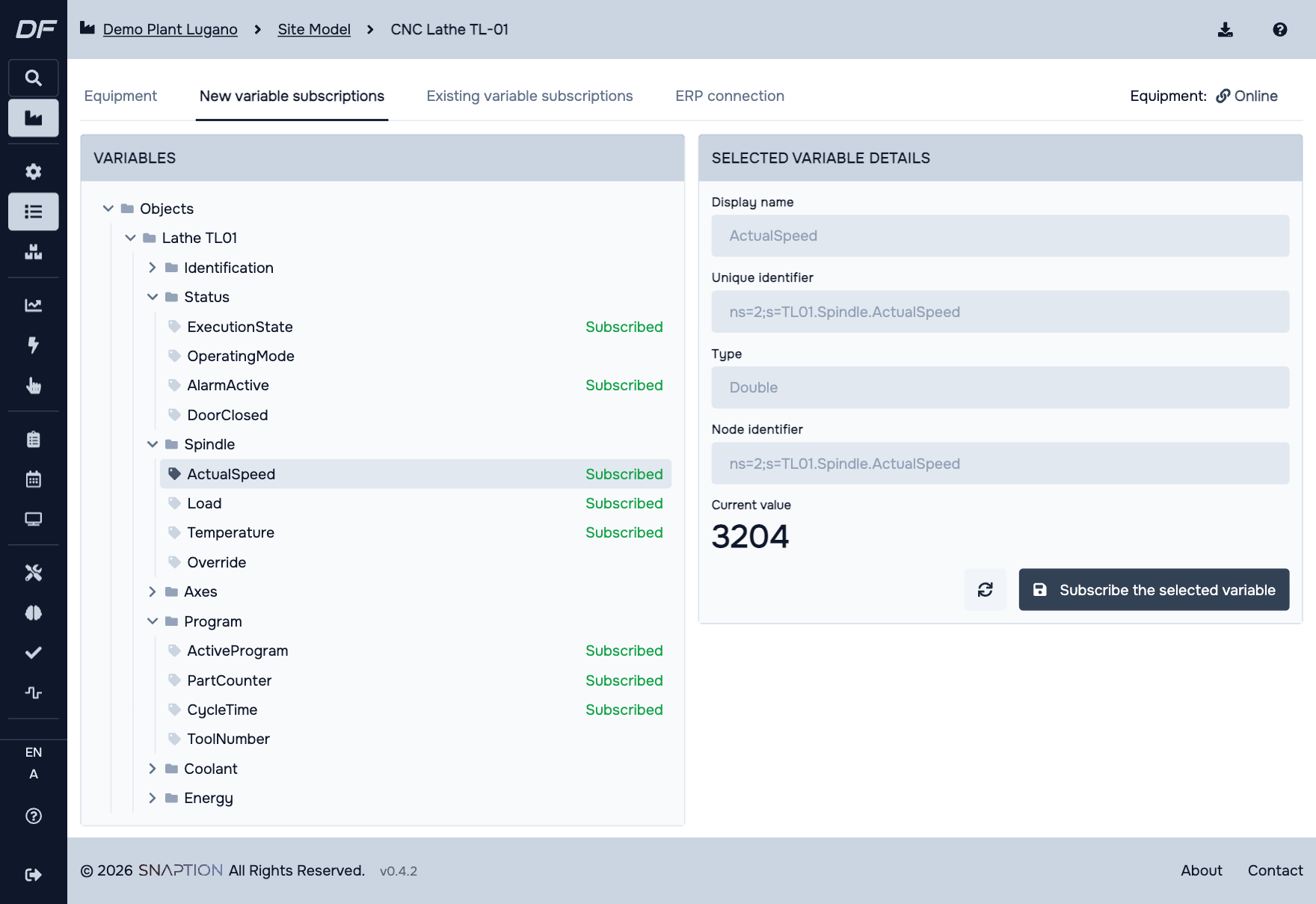
The variables of a machine read over OPC UA in DigiFactor. Demo data.
3. Join machine data and business data
A part counter alone says little. It becomes information when you know which order those parts belonged to, on which machine and in which shift. That is why machine data must be linked to the orders and activities in the ERP, in one model.
The ISA-95 standard gives the structure: site, area, work centre, work unit. When every piece of data hangs on the right point of that hierarchy, adding a machine or a module does not mean redesigning anything.
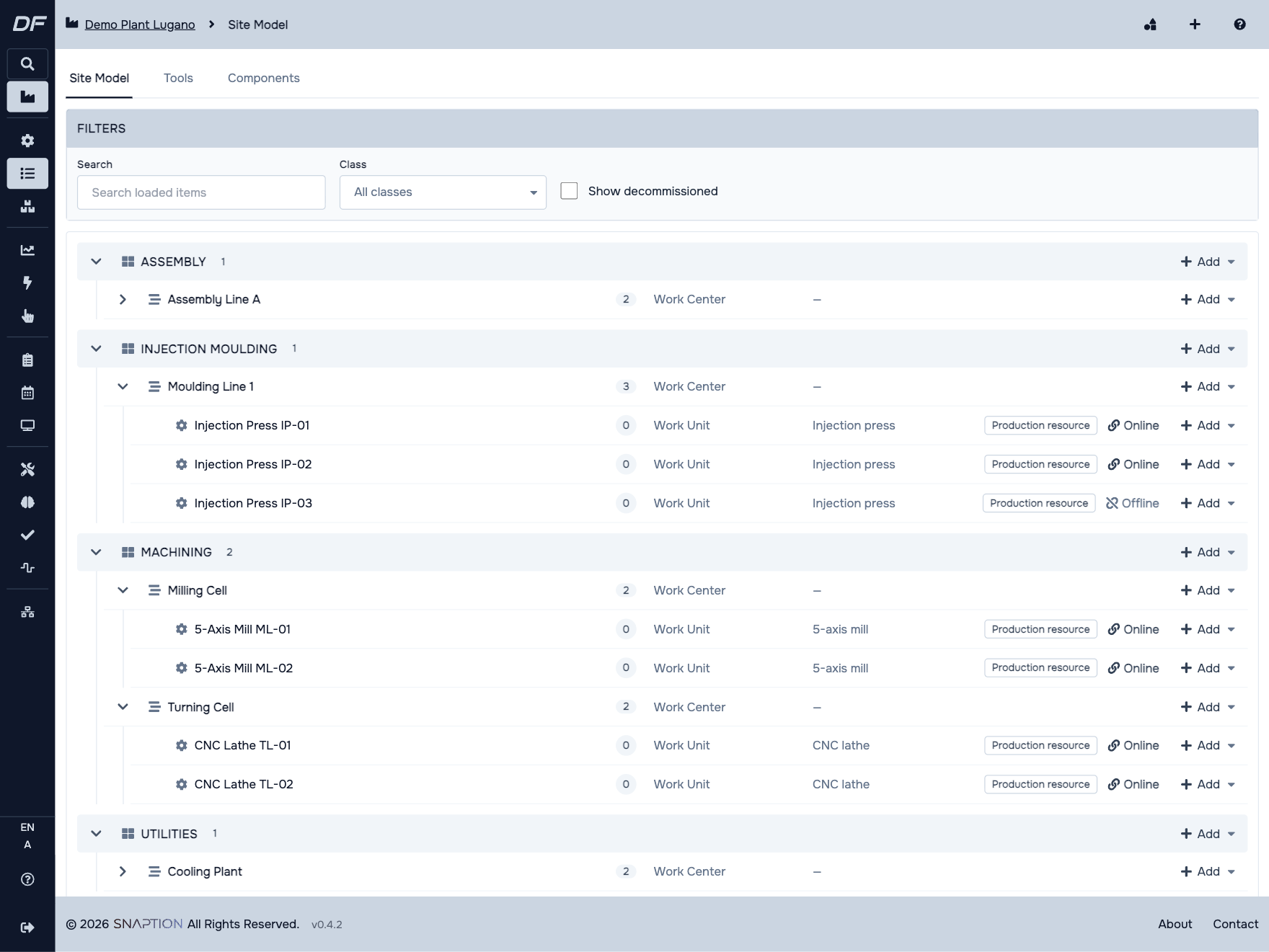
The ISA-95 site model of a demo plant.
4. Measure what really happens
Now you can answer the question from step one. The basic measures are few:
- Machine states: running, stopped, in setup, in alarm.
- OEE, in its three parts: availability, performance and quality.
- Estimated time against actual time per order.
Expect surprises: wrong standard times and micro-stops nobody recorded show up in the first weeks. That is the most useful result of this stage.
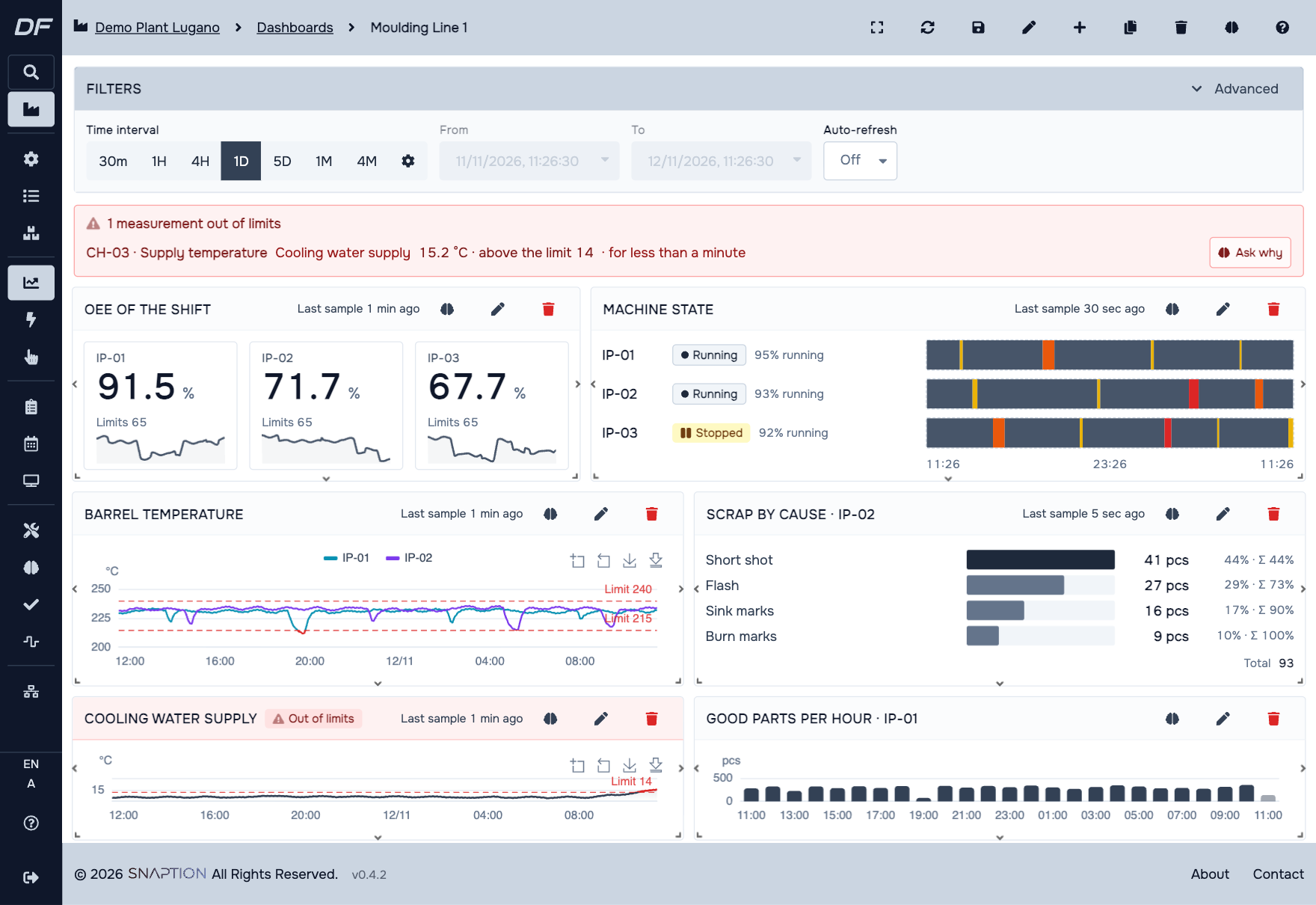
A line dashboard in DigiFactor, with a measurement out of limits flagged at the top. Demo data.
5. Extend, one module at a time
Once the data is reliable, the rest stands on the same base:
- Planning, because you now know the real times.
- Maintenance, because you know the stops and their causes.
- Quality and energy, because the measurements are already linked to machines and orders.
- AI agents, which answer questions in plain language and cite their sources.
Three mistakes to avoid
- Connecting everything at once. Fifty connected machines without a question produce charts, not decisions.
- Keeping the shop floor and the ERP apart. Without the orders, machine data cannot tell you whether you are late.
- Replacing what works. The ERP stays the system for orders, stock and accounting. Connect it, do not rebuild it.
Read more
DigiFactor follows this path: data integration first, then modules, then agents. The details are in Digitalise production, starting from the data.
In a demo we start from one of your lines and one of your questions. Book a demo: we'll get back to you within one business day.